
Dawnline
**Your OpenWrt router as a private VPN for the people you choose.**


A person's own page: their devices and access. Adding a phone takes three steps, and the page sees it connect.
Try it in the live demo: nothing installs and nothing connects.
🔗 A link, not an accountThree words, like |
📱 Their own devicesPeople add, rename and remove devices up to their limit. Adding one walks them through it: the right app, then a QR code, a link, a key or a file. |
👥 People, not peersOne card per person with their devices, who is online, traffic, end date and data limit. Filter by who needs attention or is paused. |
🧭 Who reaches whatThe home network, the internet or both; only some networks or devices at home (a NAS, Home Assistant). Family sees family, guests see guests. |
⏳ LimitsEnd dates, monthly or total data limits, allowed hours, a pause button. Changes apply at once, without dropping anyone else's connection. |
🕶️ DisguisePresets that make the VPN traffic harder to spot and block, with what each one needs from the apps. |
🏠 Internet like a home devicePeople's devices go online the way the devices at home do, so your proxies, ad and DNS filters cover them too. |
🗺️ Overview and placesWho is online with what, speed now, the last 30 days, and a map of where people connect from, at city level. |
🩺 Repairs itselfHealth checks with one-click fixes, and a watchdog that checks the tunnels, access rules and portal every minute and mends them. |
📦 Updates and backupsDawnline and AmneziaWG built for your firmware in one place; nightly backups, and export and import to move to another router. |
🌐 English and RussianThe portal follows the visitor's language and switches in its header. The admin pages and the router's messages come in Russian with the |
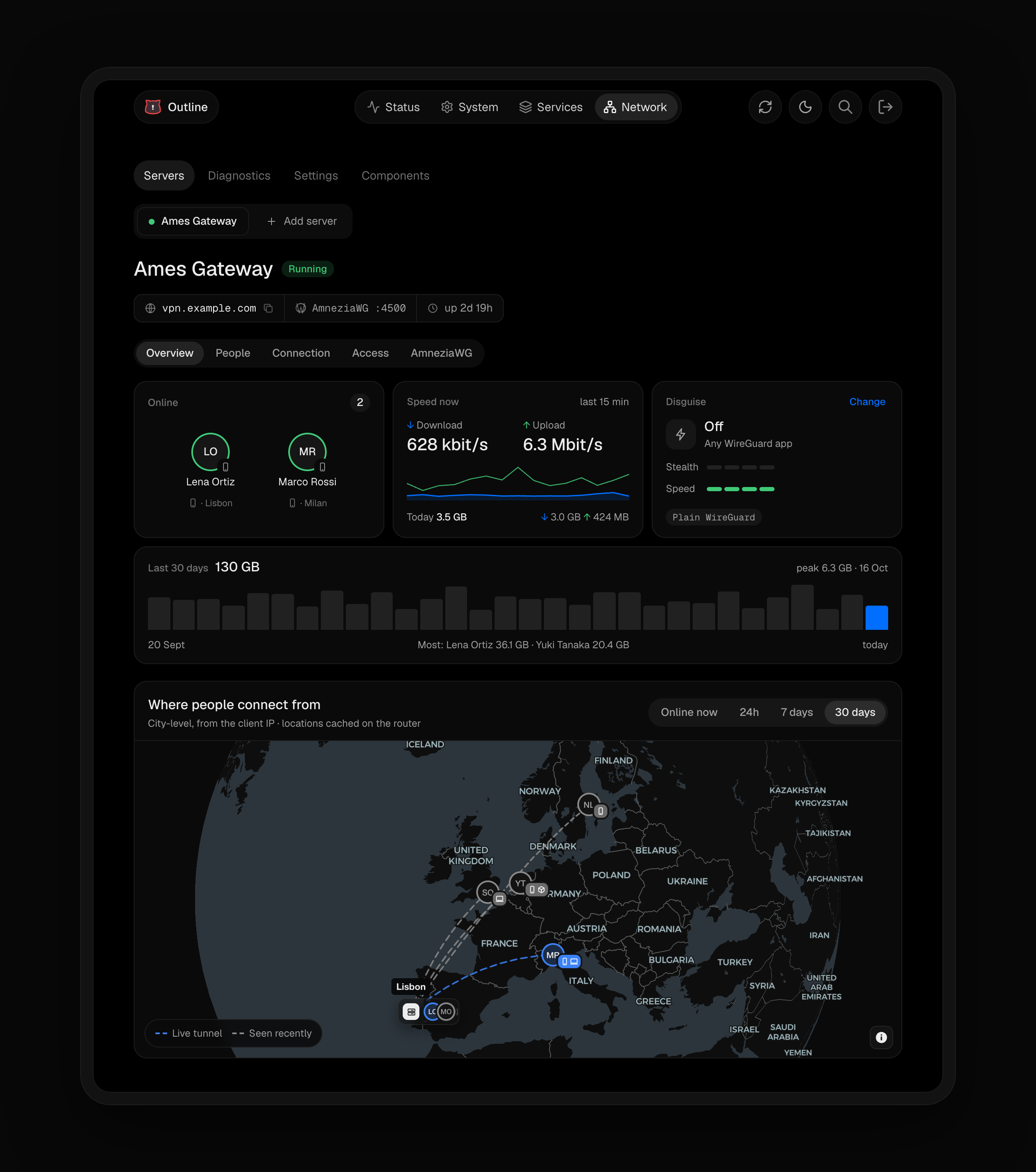
Overview: who is online, speed now, the last 30 days and a map of where people connect from.
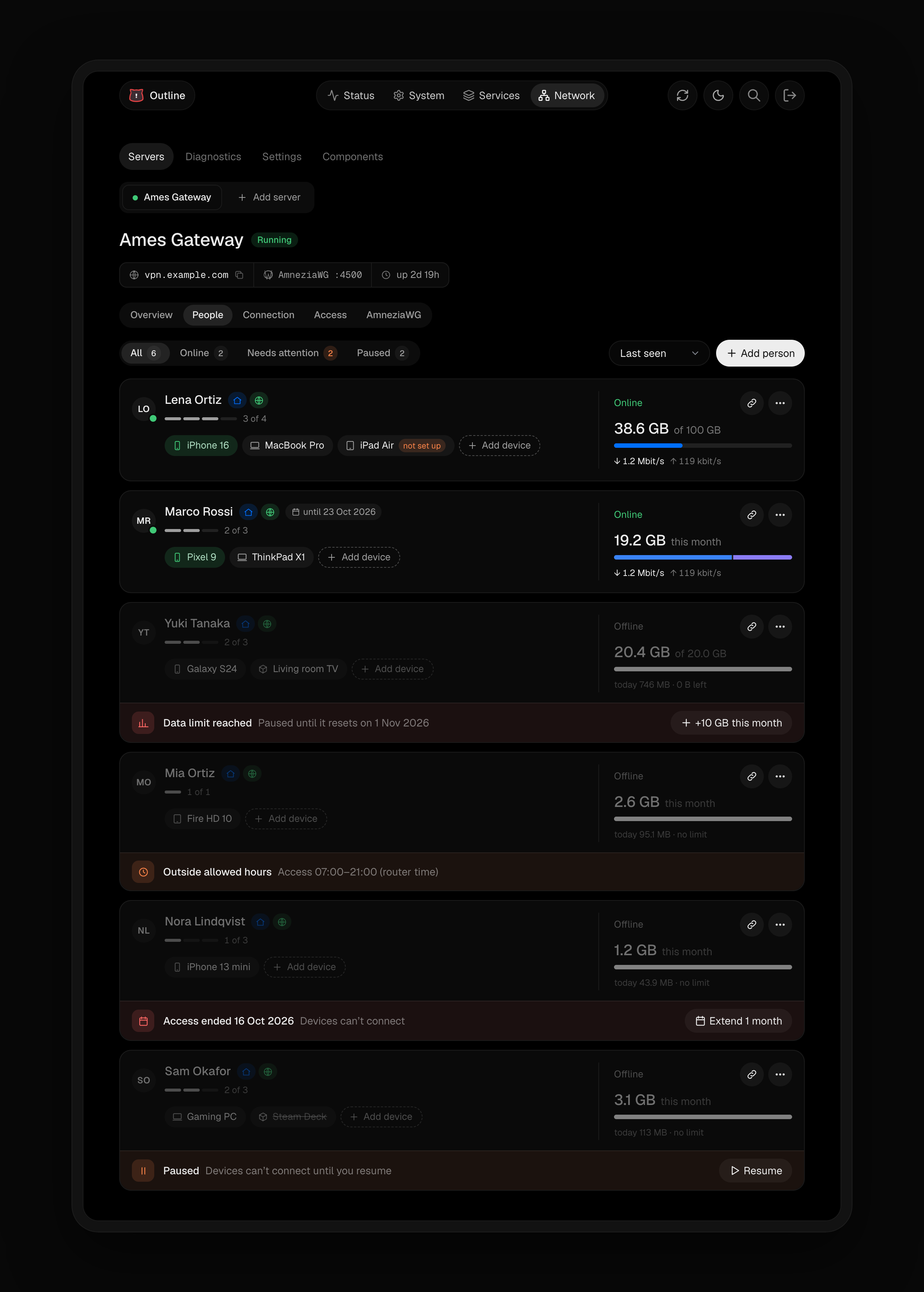
People: online, ending soon, over the limit, outside their hours, paused. |
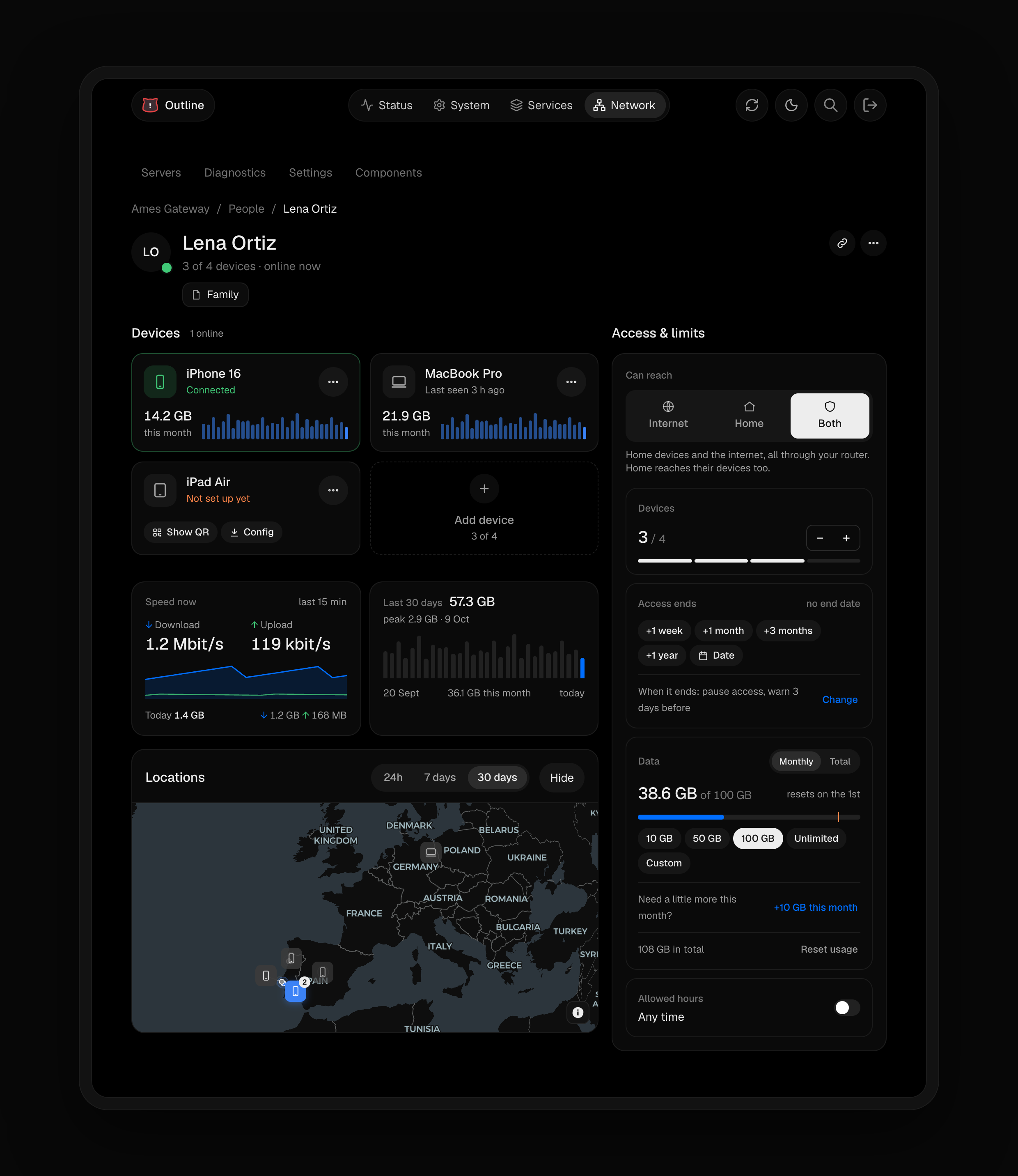
A person: their devices, traffic, places and limits. |